- Written by
gronxb
- Published
Hot Updater v1.0
Update checks become one shared, cacheable read, and Insights, Remote Config, and client API keys arrive as plugins.
Hot Updater v1.0 is out. Hot Updater delivers JavaScript and asset updates to React Native apps over the air, on infrastructure you choose: Cloudflare, Supabase, AWS, Firebase, or your own server.
The biggest change is how an app checks for an update. Instead of computing an answer for each device, the server publishes one shared, cacheable answer, and each device picks its own update from it. Around that read path, v1.0 adds Insights to show what devices did, Remote Config to change app behavior without a bundle, and client API keys. All three are plugins, and you can write your own.
New to Hot Updater? Start here. Running a v0 app? Read Move from v0 to v1 first, because v1.0 runs beside your v0 setup instead of upgrading it in place.
How we got here
The first commit landed in October 2023. When Microsoft retired App Center, and the hosted CodePush service with it, in March 2025, many React Native teams went looking for an OTA tool they could host themselves. Hot Updater's answer has stayed the same: you decide where updates live and which database and storage they use.
v0 proved that model, but every update check ran a fresh database query built from that installation's state, so responses were hard to cache. v1.0 redesigned the check so the answer no longer depends on the device asking, and it went through a long release-candidate cycle before this release.
Update checks are shared reads
A deployment creates a Bundle with one ID. It belongs to a channel, platform, and compatibility scope, and carries delivery settings such as rollout, target cohorts, and whether it's enabled. The installable bytes are a separate, immutable artifact.
When a Bundle or its settings change, the server compiles a Release Catalog: one document per platform, channel, and compatibility scope. A device never sees new settings without the Catalog that matches them.
An update check then works like this:
- The app requests the Catalog for its platform, channel, and app version or fingerprint.
- Every installation in that scope gets the same response, so a shared cache such as Workers Cache or CloudFront can serve it.
- The device evaluates its current Bundle, rollout bucket, cohorts, and crash history against the Catalog.
- It downloads only what changed after reusing local files, either file by
file or as one
tar.brarchive when that is the smaller transfer.
Because settings and bytes are separate, changing a rollout doesn't touch the artifact, and promoting a Bundle to another channel doesn't upload it again. Disabling a Bundle moves affected devices to the previous compatible enabled Bundle, or back to the one built into the app.
We measured the difference on October 9, 2026. We deployed v0 (0.36.18)
and v1.0 side by side in one Cloudflare account, gave both the same 16
bundles, and sent each 1,000 update checks at 10 requests per second from an
installation that already had the newest bundle. Every v1.0 check was served
from Workers Cache without waiting on the Worker, and neither deployment
returned an error.
| Response time | v0 (0.36.18) | v1.0 |
|---|---|---|
| Median (p50) | 301.3 ms | 50.0 ms |
| p95 | 371.4 ms | 118.9 ms |
| p99 | 415.2 ms | 135.5 ms |
This is one workload, and it doesn't predict your server load or cost. The two Workers reached the client through different edge locations (on the Hong Kong edge alone, v0's median was 221 ms), and the test covered already-updated installations only, without downloads or Insights reports. The summary, request log, and harness have the details.
Insights shows what devices did
When devices choose their own updates, the server no longer sees who got what. Insights lets apps report back.
Add the insights() client plugin to HotUpdater.init, and the app reports
downloads, launches of a new bundle, crash recoveries, and failed update
attempts. A plain launch with nothing new is reported at most once a UTC day.
Reporting is best-effort: a failed report never blocks startup or causes a
rollback. Debug builds (__DEV__) send nothing unless you create the plugin
with insights({ debug: true }).
The Console shows those reports in four views:
- App usage: estimated daily, weekly, monthly, and yearly active installations, and how they spread across app versions and bundles, including the bundle built into the app.
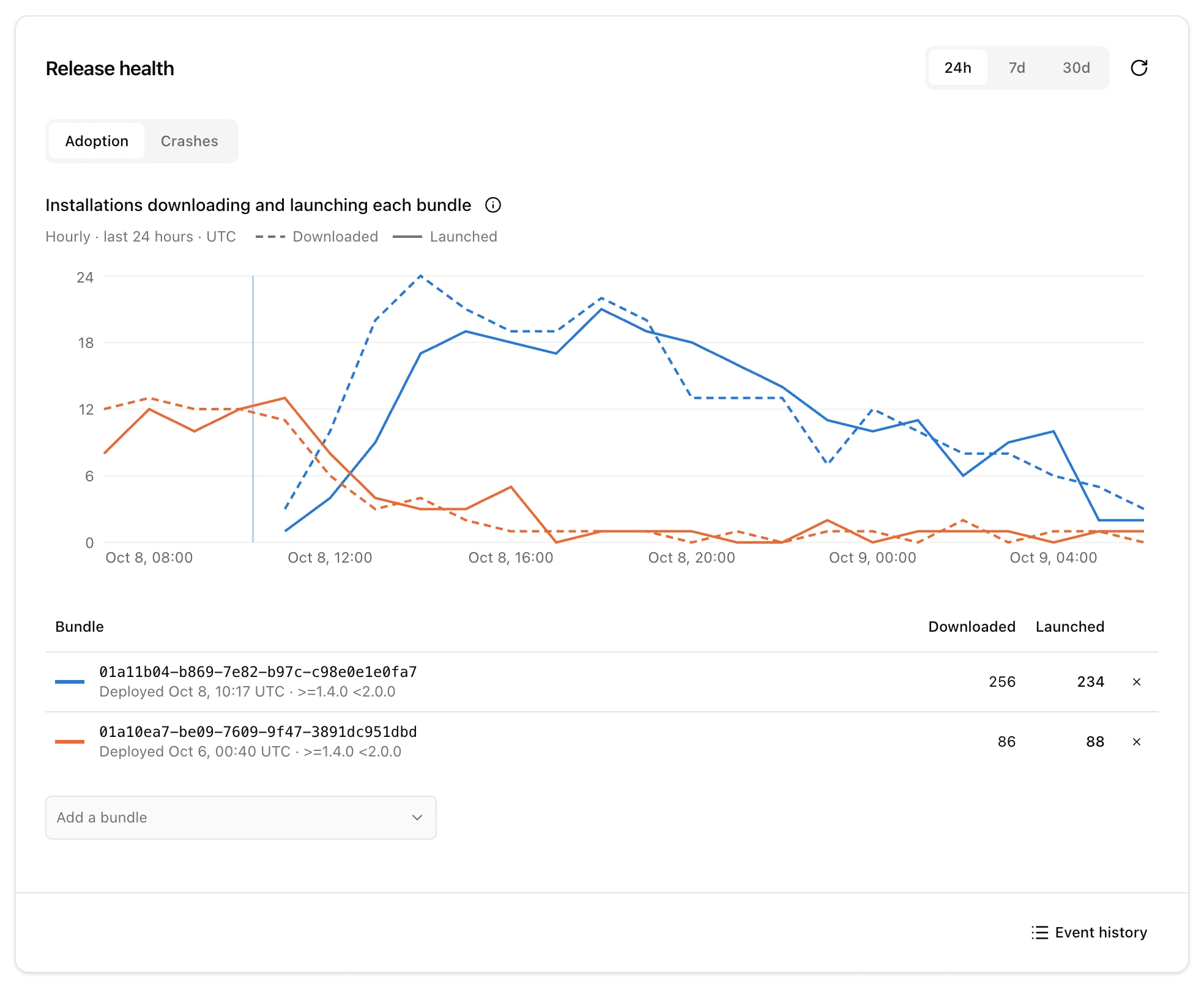
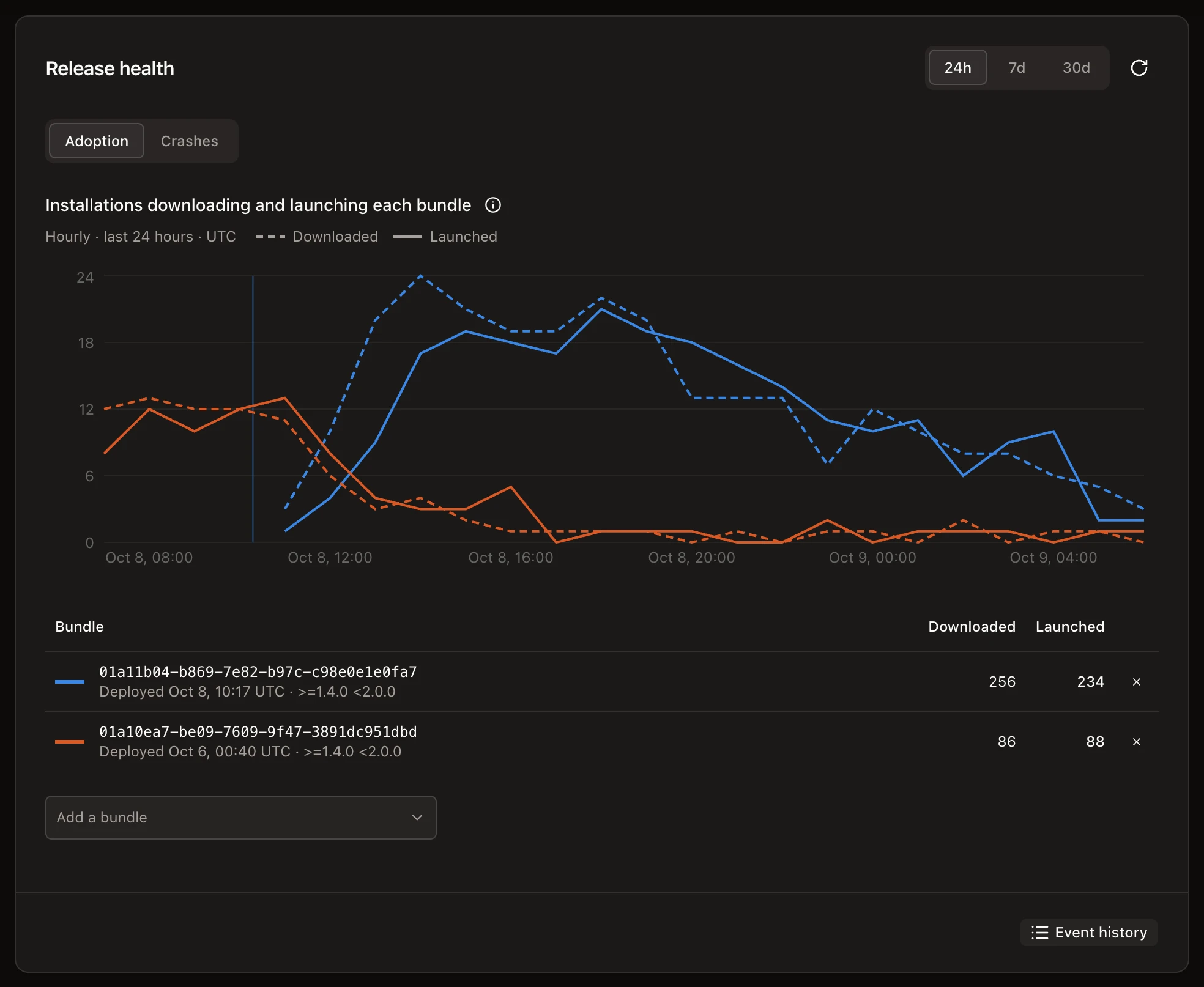
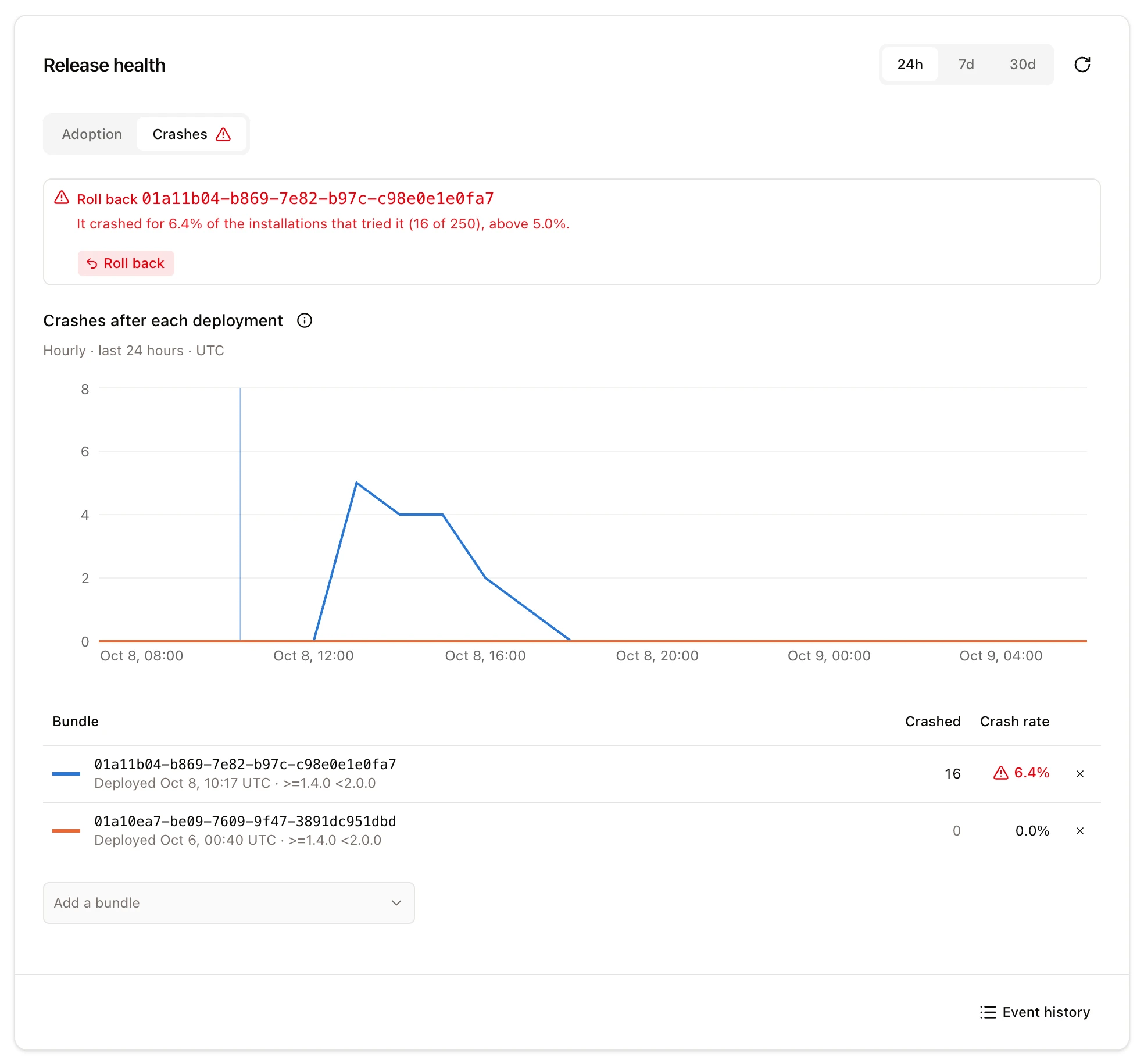
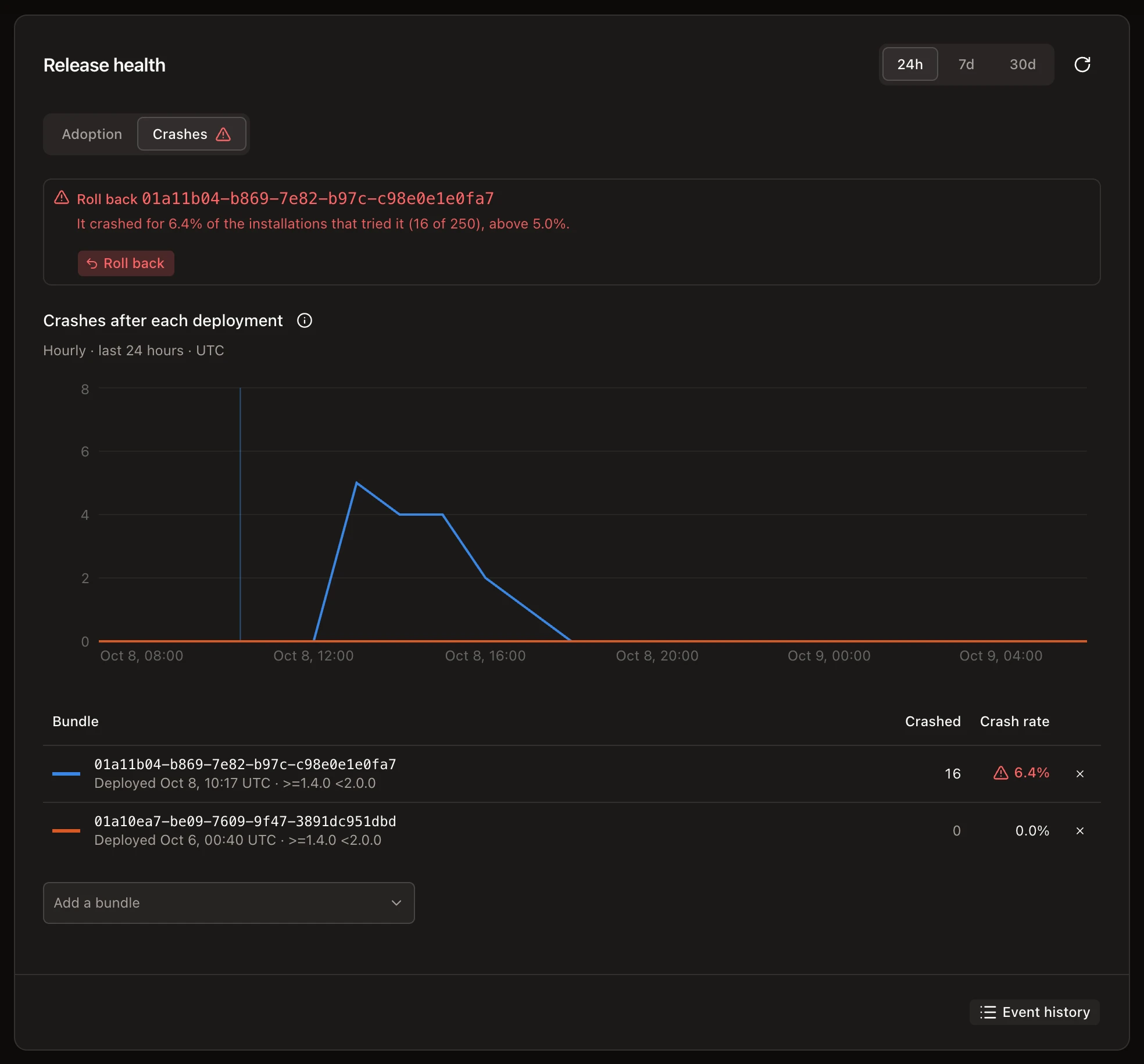
- Release health: downloads next to launches for each bundle, plus crashes and crash rate. Once a bundle crashes for 5% of at least 20 installations that tried it, the Console offers to roll it back.
- Update failures: failed checks, downloads, and installs, grouped by stage and error.
- All events: one device's history, found by installation ID or user ID.
Remote Config changes behavior without a bundle
Remote Config changes values your app reads, such as a feature flag or a list size, without a new bundle or native build. The app keeps in-app defaults and reads values synchronously. On the server, a template holds parameters whose values can depend on channel, platform, app version range, or a share of installs. Every publish is a version you can roll back to.
Plugins on the server and in the app
Insights, Remote Config, and API keys are server plugins that add tables and
routes. Insights and Remote Config also have client plugins that run in the
app; API keys are sent through the app's requestHeaders.
HotUpdater.init returns an instance, and client plugins can add their own
API to it:
import { HotUpdater, insights, remoteConfig } from "@hot-updater/react-native";

export const hotUpdater = HotUpdater.init({
  baseURL: "<your-update-server-url>",
  requestHeaders: { "x-api-key": "<client-api-key>" },
  plugins: [
    insights(),
    remoteConfig({ defaults: { show_new_checkout: false } }),
  ],
});

hotUpdater.remoteConfig.fetchAndActivate().catch(() => {});
hotUpdater.remoteConfig.getBoolean("show_new_checkout");- Server plugins are written with
definePluginand listed increateHotUpdater({ plugins }). - Client plugins are written with
defineClientPluginand passed toHotUpdater.init({ plugins }). apiKeys()puts the app's routes behind a client API key, managed withhot-updater api-key create,list, andrevoke.
The managed Cloudflare, Supabase, AWS, and Firebase servers run all three official plugins. A custom server lists the ones it wants.
What fills a config slot is now called an adapter: build, storage, database, and signing. The plugin system page explains how to write either kind.
Also in v1.0
hot-updater doctor --fixchecks a project and repairs what it can.- A coding agent can set up a project and provision infrastructure.
- Bundle signing works with AWS KMS, Google Cloud KMS, or a remote signer, as well as a local key.
- The Console can be deployed for your team on Cloudflare, Docker, Netlify, or Vercel, with sign-in.
- Custom servers can use Kysely, Drizzle, Prisma, or MongoDB, and
hot-updater db migratecreates the schema.
Upgrading from v0
v1.0 uses a new protocol and database layout. Keep your v0 endpoint running for the binaries already in the stores, provision v1 alongside it, redeploy the bundles you want to serve, and ship a native build with the v1 SDK.
Do not deliver v1 @hot-updater/react-native JavaScript to a v0 native binary
by OTA. Receipt and rollback behavior requires the v1 native module.
The changes you'll touch in app code and scripts:
HotUpdater.initreturns an instance. Call it once in its own module and export it; every method moves to it, as inhotUpdater.checkForUpdate().- The optional automatic flow is
hotUpdater.wrap(...), which keeps only update-flow options.baseURL,requestHeaders,plugins,onError, andonNotifyAppReadygo ininit. onNotifyAppReadyresults changed:STABLEis nowUNCHANGED, and recoveries reportfromBundleIdandtoBundleId.- Managed providers require a client API key in the
x-api-keyheader. - The Expo config plugin moved to
@hot-updater/expo. compressStrategyis gone; the updater picks per-file or archive downloads on its own.- In scripts,
rollback <channel>is nowbundle disable <id>, and the--jsonoutput ofbundle listandbundle showchanged.
Custom servers have more to change, such as handlers.client and
handlers.admin replacing createHandler. The
upgrade guide covers every step, and the
Hot Updater agent skill can do most of the migration for you.
What v1.0 doesn't do
- OTA updates carry JavaScript and assets only. Native code changes still need a store build, and store policies still apply; see Native Compatibility and App Review.
- Supabase and Firebase have no shared cache in front of the update check, so every check runs the function. Pick Cloudflare or AWS if you expect heavy check traffic.
- Insights counts only installations that run its client plugin and reach your server. Treat its numbers as evidence for a rollout decision, not a count of every installed copy.
Thank you
Thanks to everyone who filed issues, tested release candidates on real apps, and sent pull requests. More than 60 people have contributed code across v0 and v1.0, and many more shaped this release through bug reports and feedback. If Hot Updater saves your team time, you can sponsor the project on GitHub.
Most packages are MIT-licensed. @hot-updater/server and
@hot-updater/console add one condition: if you offer them to others as a
hosted update service, show "Powered by hot-updater" with a link. Running them
for your own apps, or for apps you build or operate for clients, needs nothing
extra.
Get started
Install the packages, then follow Start here to set up your first OTA update. The code is on GitHub, and How does it work? explains update checks in more depth.