HotupdaterHot Updater
Operate

Console

Manage bundles, Insights, and Remote Config locally, or deploy an authenticated console for your team.

Manage updates

Use the console for:

  • Bundle rollout and targeting management
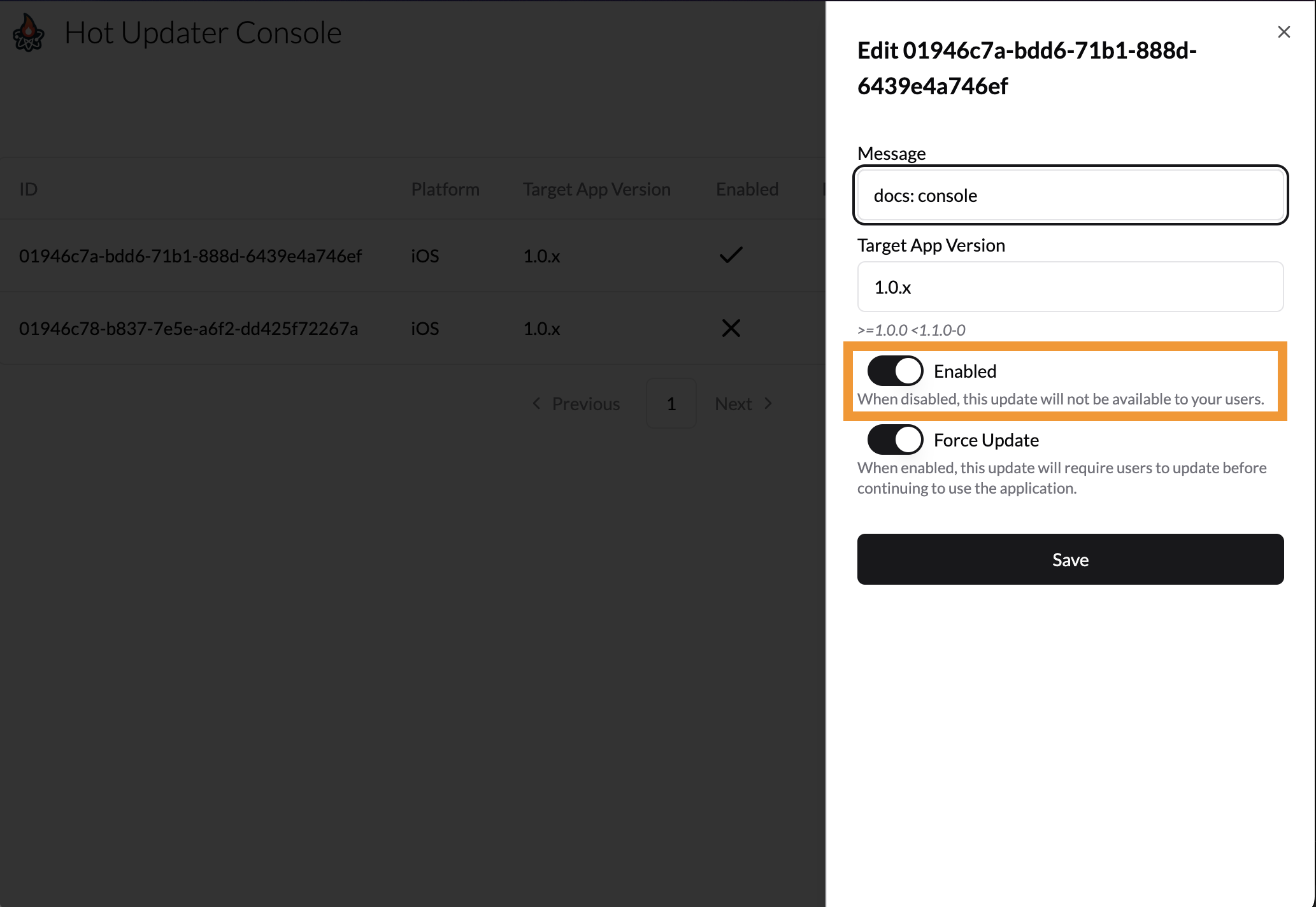
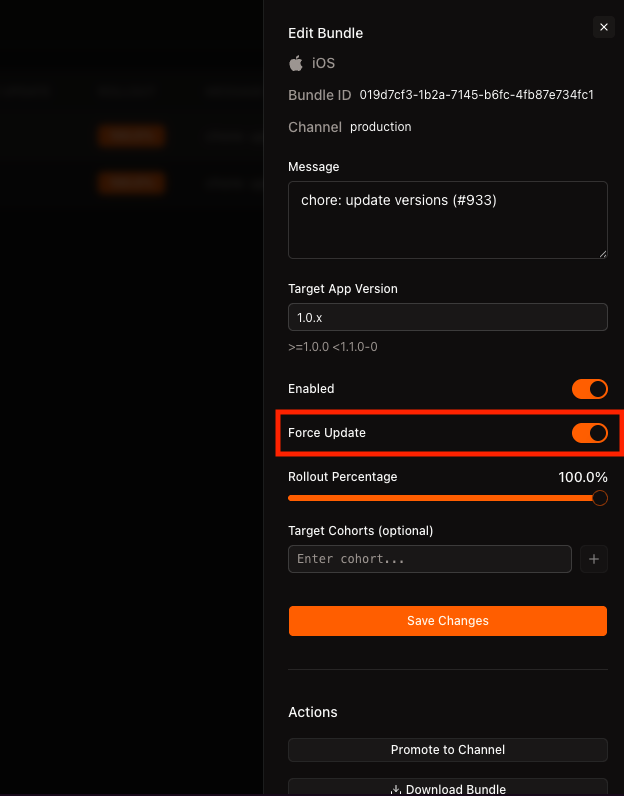
  • Bundle disable and force-update controls
  • Advanced immutable artifact inspection
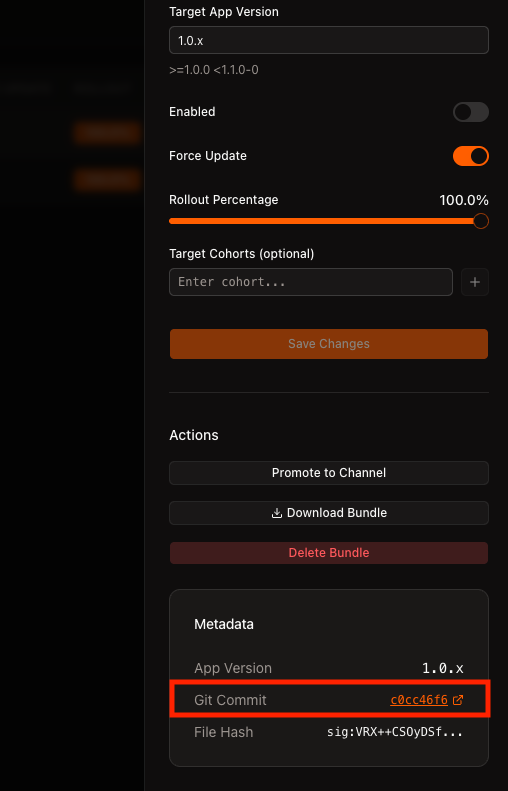
  • Quick access to git history for updates
  • Remote Config parameters, conditions, and versions

hot-updater console runs on localhost. For a persistent HTTPS console that works without a developer's computer, clone the standalone host and follow Console deployment. Both use the same @hot-updater/console package and your existing database and storage.

Configuration (Optional)

Console configuration does not change bundle delivery settings or artifacts.

Set console options in hot-updater.config.ts, along with its storage, database, and plugins:

OptionDescriptionDefault
console.gitUrlEnables commit shortcuts by linking to git commit hashes-
console.portSets the console server port1422
hot-updater.config.ts
import { defineConfig } from "hot-updater";

export default defineConfig({
  console: { 
    port: 3000, 
  }, 
  build: ...,
  storage: ...,
  database: ...,
  plugins: ...,
});

The console shows the built-in pages of the server plugins that plugins lists: the Insights pages with insights(), and API key management with apiKeys(). With a direct database adapter, it runs them over that database, as the server does; through standaloneRepository, it reads the server's Insights overview, events, installations, update failures, and retention periods from the admin handler, as Security model describes. For a managed provider, hot-updater init lists the plugins its server runs there: apiKeys(), insights(), and remoteConfig(). Without them, the console shows neither Insights nor API keys. A deployed console takes the same list as plugins in its configuration.

Usage

The Bundles list and its detail sheet show an ID that matches hotUpdater.getBundleId() on the device. Promoted updates have their own IDs even when they reuse the same files.

Start the local console:

npx hot-updater console

Security model

The CLI Console binds to loopback and loads the configured database and storage adapters on its server. With a direct database adapter, it does not call the Hot Updater HTTP handlers at all.

When the configured database is standaloneRepository, point its baseUrl at the exact admin root (for example, https://example.com/hot-updater/admin) and put the admin bearer token in server-side commonHeaders. Never expose that token to Console browser code or a React Native app.

A deployed Console has two independent boundaries: its Console auth adapter authenticates browser users, while the framework middleware in front of handlers.admin authenticates Console-to-server requests. The Console's own /api/* routes belong to the Console application and are not the Hot Updater admin API. Through the standalone repository, the Console reads the server's Insights overview, events, installations, update failures, and retention periods from the admin handler. App usage, Release health, bundle activity, and API key management need a direct database adapter.

Use Bundle commands for automation and CI scripts:

npx hot-updater bundle list --platform ios
npx hot-updater bundle show <id>
npx hot-updater bundle disable <id> -y
npx hot-updater bundle enable <id> -y
npx hot-updater bundle update <id> --force-update true -y
npx hot-updater bundle update <id> --rollout-cohort-count 500 -y
npx hot-updater bundle update <id> --target-cohorts qa,dogfood -y

Add --json to bundle list, bundle show, or bundle update when another tool needs raw internal row data. Its field names follow the database schema rather than the human-readable Bundle terminology.

Preview and protect automated changes

Before changing delivery policy, read the public Bundle's current revision with bundle show <id> --json. Preview the same policy change without writing:

npx hot-updater bundle show <id> --json
npx hot-updater bundle update <id> --rollout-cohort-count 500 --expected-revision <revision> --dry-run --json

A dry run compiles the proposed Catalog and checks its limits, without asking for confirmation. It does not reserve the revision or save the change. After reviewing the result, apply the same options with the revision you read:

npx hot-updater bundle update <id> --rollout-cohort-count 500 --expected-revision <revision> --yes --json

update, enable, disable, and delete accept --expected-revision. If another operator changes that Bundle first, the stale mutation fails. Re-read the Bundle and review its policy before retrying; do not remove the revision check just to make a retry succeed.

For existing Catalog projection problems, run doctor, and doctor --fix to rebuild the stale catalogs it reports.

Advanced artifact diagnostics

Advanced diagnostics shows each bundle's Artifact ID: the uploaded files the bundle uses. A promoted bundle shares its source's artifact. Deleting the last bundle that uses an artifact deletes the artifact's record too, with every patch to or from it. A device running that bundle can still reuse unchanged local files, but changed files download in full without a Hermes patch from that artifact. bundle delete --json names the artifact in deletedArtifactId. The stored files stay until the Storage Cleanup workflow previews and deletes them.

Insights

The Bundles list and detail show lifetime Downloaded, Launched, and Crashed installations, with a crash rate, and the detail shows Download failures with their rate. Open Insights to inspect release health and update failures for a selected period, reporting installations, and event history. Events are kept for 90 days and daily totals for 13 months.

Follow the Insights guide to configure reporting, identify an installation, verify an applied update, and interpret the counts.

Remote Config

Remote Config edits the parameters and conditions of a draft, previews the values a device would get, publishes the draft as a version, and rolls back to an earlier one. It shows when the configuration lists remoteConfig(); the managed servers run it. Follow the Remote Config guide to read the values in the app.

Rollback

Disabling a bundle removes it from delivery selection. Affected installations move to the previous compatible enabled bundle or to the app's built-in bundle when no compatible bundle remains. The result can vary by app version, fingerprint, and cohort, so verify the scope shown by the Console before confirming.

Devices receive the rollback on their next update check and apply it through the app's download and restart flow. Disabling a bundle does not restart apps that are already running it.

Force Update

Setting a bundle's shouldForceUpdate value to true marks it for immediate application when selected. In the custom update flow, check shouldForceUpdate and call hotUpdater.reload() after a successful download.

The requirement also covers devices that skip the forced bundle: a device on an older bundle that updates straight to a newer one is forced too. See Force Update.

Promote

Promotion creates a new bundle ID in the target channel while reusing the same uploaded artifact:

npx hot-updater bundle promote <source-id> --target <channel>

No Storage object is uploaded or copied. The promoted update has a new ID and rollout seed, is enabled, starts at a 100% numeric rollout, and has no target cohorts. The command previews those defaults before confirmation. A --action move promotion also disables the source bundle atomically.

Git URL

You can set the git URL in the hot-updater.config.ts file.

hot-updater.config.ts
import { defineConfig } from "hot-updater";

export default defineConfig({
  console: {
    gitUrl: "<your-repo>", // e.g. https://github.com/gronxb/hot-updater
  },
});

The commit hash links to the corresponding commit in your repository.
On this page